
OpenClaw 2.0 arrived on August 31, 2026 as the project’s largest release, turning a personal agent into a shared workspace with safer upgrades, Linux support, built-in memory, and a rebuilt browser Control UI.
If you have ever hesitated to upgrade an agent tool because it might break your setup, OpenClaw’s newest release speaks directly to that fear. On August 31, 2026, the team shipped OpenClaw 2.0, its largest-ever update, after taking nearly two months rather than risking a rushed release that could disrupt existing user setups.
The scale is striking. The release represents roughly half of all pull requests ever merged into the project, built by 987 contributors, including 569 first-timers. You can see the discussion on Hacker News or the GitHub release, but the numbers alone tell you this was not a patch.
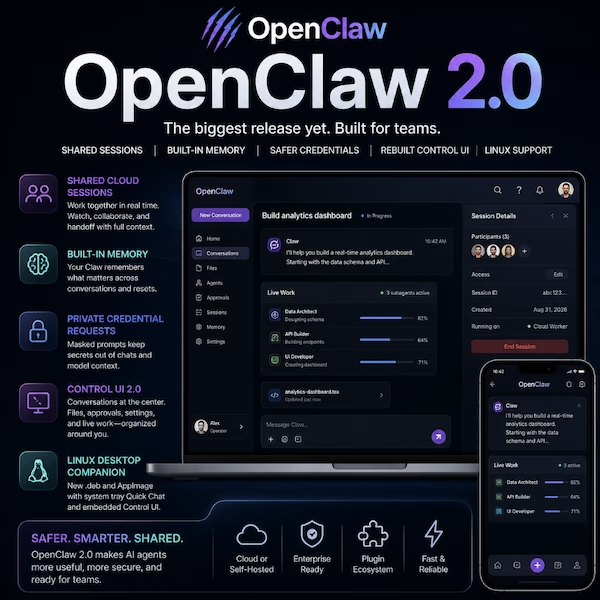
OpenClaw 2.0 began with two focused goals: simpler installation and a rebuilt browser app. As the team worked, changes rippled through the system until the release became a full overhaul. The new browser-based Control UI puts conversations at the center, with files, approvals, settings, and live work arranged around it instead of scattered across separate tools.
Shared cloud sessions make OpenClaw a multiplayer workspace
The headline capability is shared cloud sessions. Multiple people can join the same live OpenClaw workspace, watch what the agent is doing, or hand off a task with its full context intact.
A task keeps its context during handoff, so nobody starts from zero. The team already uses this internally to build OpenClaw, turning a solo assistant into a multiplayer tool for families or teams.
Safer upgrades fix a long-standing pain point. The installer now inspects the existing setup before replacing anything, stops unsafe candidates, and leaves the previous CLI runnable if something goes wrong.
Recovery tools also give clearer paths when configuration errors or failed migrations occur. These changes reduce the risk of trying the new version on a machine you rely on.
A Linux desktop companion is now available for the first time as a .deb or AppImage, with Quick Chat from the system tray and an embedded Control UI. macOS and Windows already had native apps. This closes the gap for Linux users.
Memory, credentials, and smaller daily improvements
Built-in Memory lets a personal Claw recall relevant context from its own previous private conversations, including what mattered right before a reset. It replaces the older QMD-based memory with a self-contained search and recall path. This is useful after interruptions, updates, or a reset.
Private credential requests add a security layer. Agents can ask for secrets through masked prompts without ever putting the value into chat history or model context.
Other additions include a dockable Home agent beside your current page and background sessions that start without switching context. Four new UI themes, CRT, Manuscript, Rosé, and Miami, arrive too.
A Chrome extension relay works even when the main Gateway is offline. Full details are listed in the OpenClaw release notes, the blog post “OpenClaw 2.0, Accidentally,” Hacker News, and GitHub. The main practical takeaway: OpenClaw 2.0 is less about one flashy feature and more about making agents safer, more useful, and easier to share.